 edelkrone control
GuifiLab brings professional motion control for the complete edelkrone rig to the Mac
edelkrone control drives heads, slider, jib, dolly and tripod simultaneously from one screen, with a PlayStation controller, Stream Deck or DaVinci Resolve Micro Panel. 14 days money back.
Read the full press release
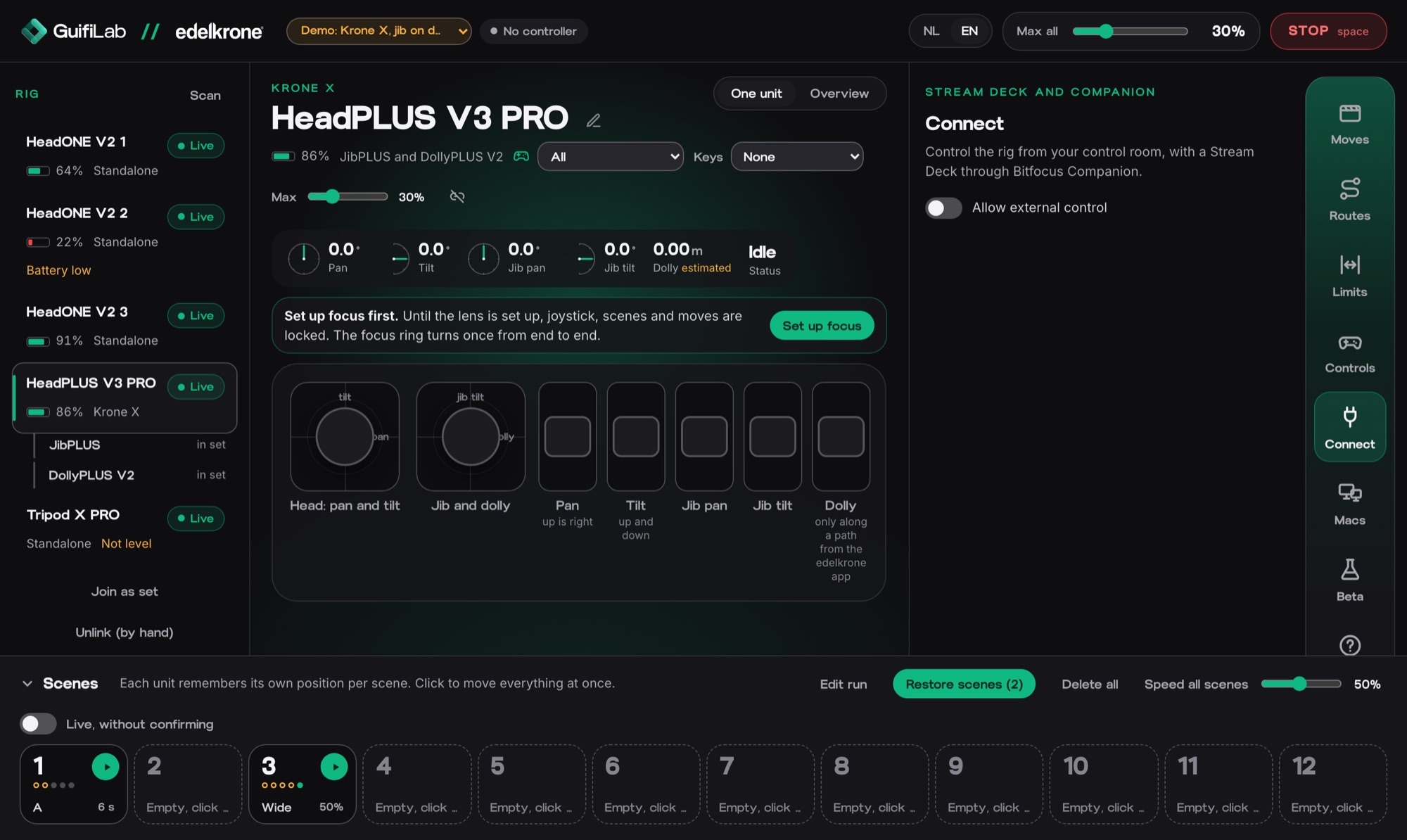
Apeldoorn, the Netherlands, 20 October 2026. GuifiLab, the software label of Guifi, today releases edelkrone control: a Mac app that runs a complete edelkrone camera motion rig from one screen. The official edelkrone app is built for one phone and one unit at a time. edelkrone control drives every connected unit simultaneously, each with its own top speed that the app enforces.
“Motion control demands repeatability. edelkrone control turns a complete rig into one instrument: every move can be repeated exactly, from one screen.”
Martin, product specialist at GuifiLab
Supported are the HeadPLUS v3 (including PRO), HeadONE v2, SliderPLUS v6, JibPLUS, DollyPLUS v2, the Focus/Zoom Module (focus) and the Tripod X PRO. From the app, single units can be linked into a Krone S or Krone X.
Scenes, moves and routes
Operators save twelve scenes for the whole rig, including tripod height and focus. One click sends every unit back to its mark, optionally in a fixed time so everything arrives together. Moves are recorded per unit and combined into multi-track moves, with delay, size and tempo per track. Ready-made routes such as reveal, crane, parallax and jib swing are built in, as are runs: scenes in sequence, with pauses, once or looping.
Where the SDK reports position, the app corrects along the way. It learns how fast each axis of each unit really moves and plans every move accordingly. Limits can be set for slider, pan and tilt: the unit slows down and stops there, and can run back and forth with separate speeds each way.
Controls like on set
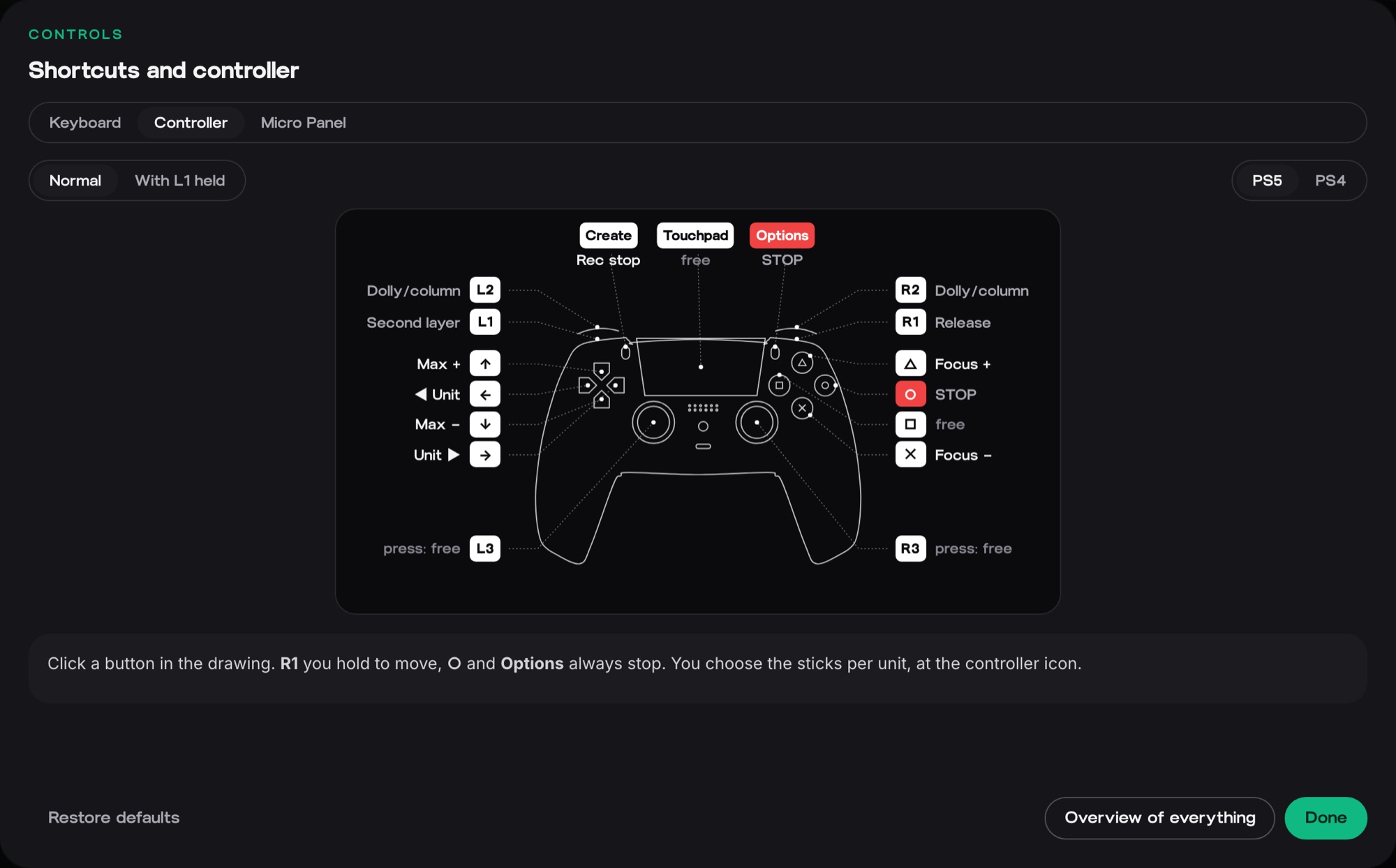
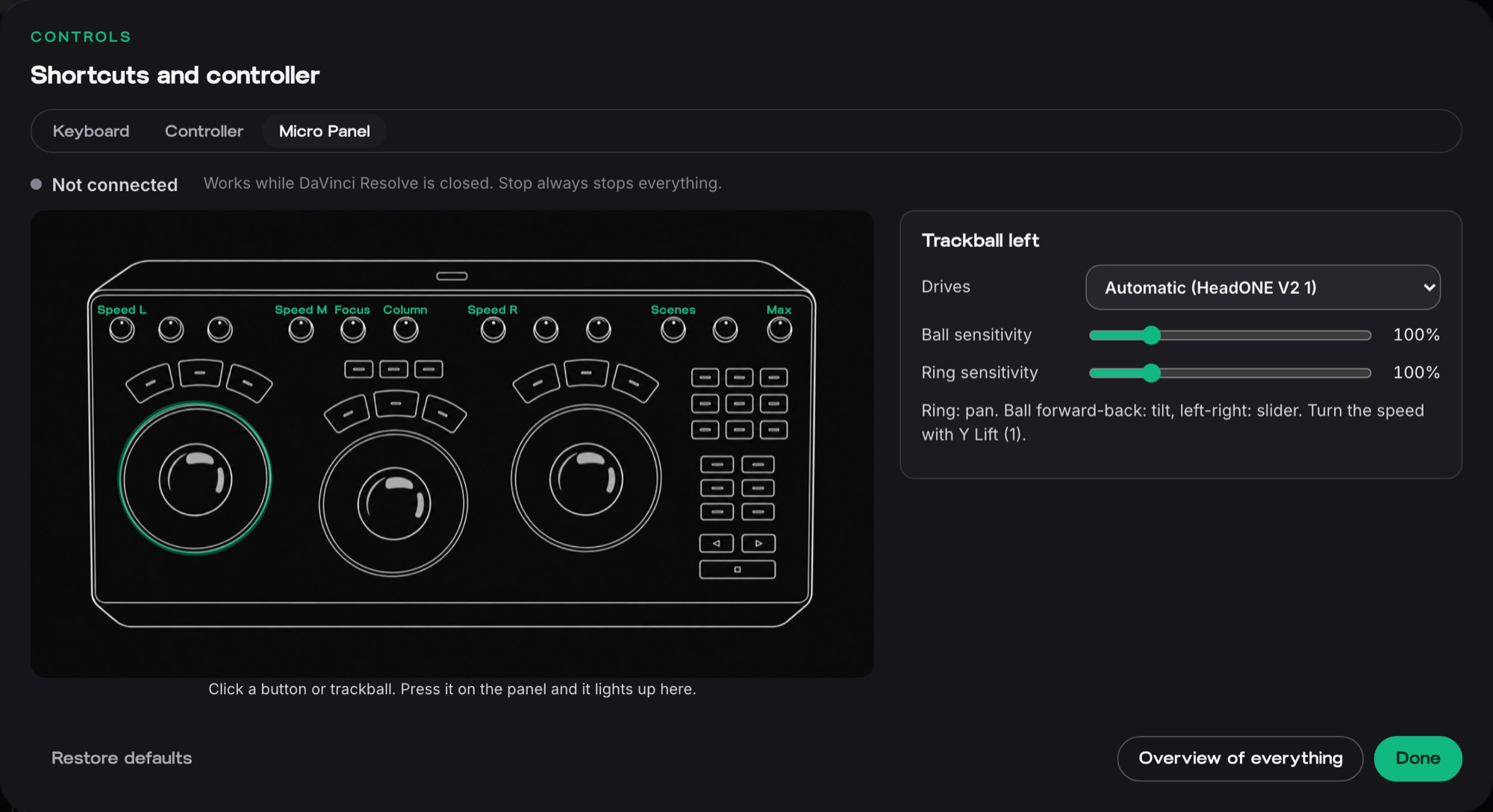
Control comes from a PS4 or PS5 controller over Bluetooth or USB, the keyboard (QWERTY, AZERTY or QWERTZ), or a DaVinci Resolve Micro Panel, where each trackball drives a unit or part of the rig. For the control room the app generates a ready-made Bitfocus Companion page: a Stream Deck starts scenes and moves, and its buttons light up with the rig's status. A second Mac on the same network can run the rig too, protected by an access code.
Safety comes first: when the operator lets go or the connection drops, everything stops within half a second. The space bar always stops.
Availability and pricing
edelkrone control is available from today at guifilab.com and guifilab.nl. The Licence costs €79 for the first year when ordered by 30 November, then €129 per year, for 1 Mac. Studio costs €149 for the first year, then €199 per year, for 4 Macs with priority support. Prices exclude VAT. A free demo with simulated Krone S, Krone X and single units shows every feature, even without edelkrone gear.
System requirements
A Mac with macOS 13 or later and Bluetooth. The app is available in English and Dutch and updates itself. edelkrone control is built on the official edelkrone SDK; GuifiLab is not affiliated with edelkrone.
Images
End of press release
About GuifiLab
GuifiLab is the software label of Guifi, specialists in video and websites. GuifiLab develops software for video production and WordPress, born out of Guifi's practice: Subtitle Studio, edelkrone control and WordPress modules. guifi.nl · guifilab.com
Note to editors
For questions, images or a test licence: Martin, product specialist, martin@guifi.nl.